What Referrer Data Can, and Cannot, Tell You
The referrer is one optional header, sent by the visitor's browser and limited by the page they came from. Knowing how browsers decide what to send explains most of what confuses people about referrer reports.
26 August 2026 · 7 min read · updated 10 October 2026
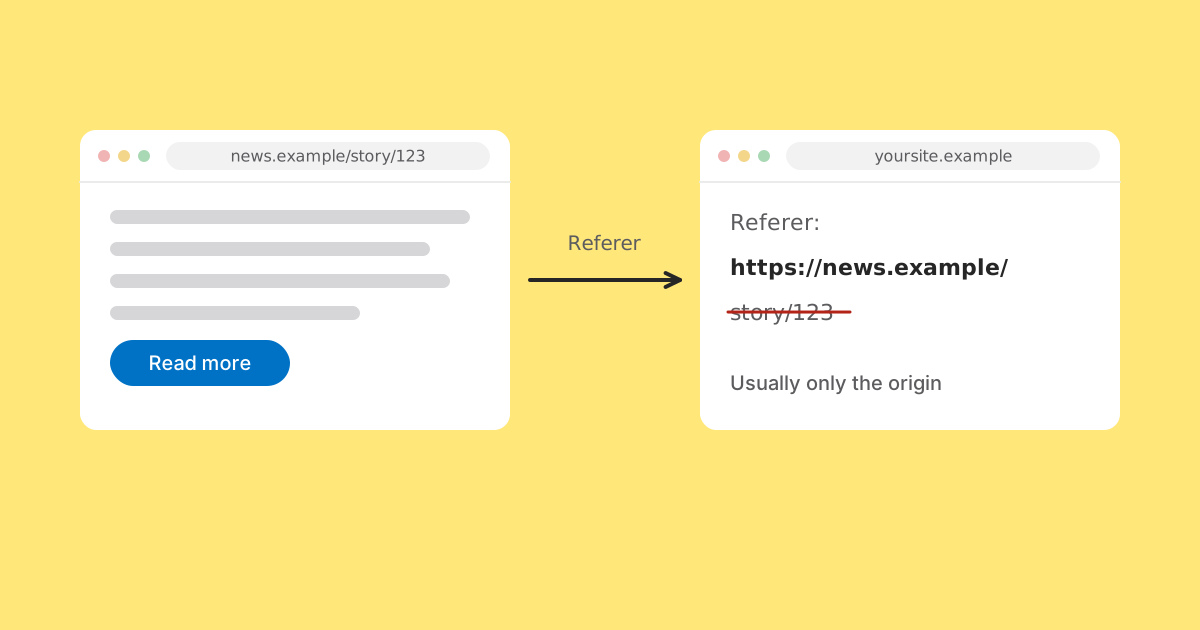
The referrer is a single optional header a browser may include when it follows a link, naming the page the link was on. Everything people find confusing about referrer reports follows from three words in that sentence: optional, may, and page.
This article explains how browsers decide what to send, what that means for the reports in your own analytics, and what to use instead when the answer matters. It also covers what happens when a link passes through a shortener such as LinkMint, which records nothing itself, so any referrer figures you see come from your own site's analytics.
How the header works
When a browser requests a page because someone clicked a link, it can add a header called Referer (misspelt in the original HTTP specification, and the spelling stuck) containing the address of the page the click happened on. Analytics on the destination site reads that value, either on the server or through the equivalent document.referrer property in a script, and files the visit under the referring domain.
How much of the address is sent is governed by a referrer policy. The referring page can set one with a Referrer-Policy response header, a meta tag, or an attribute on an individual link; rel="noreferrer" on a link removes it completely. If the page sets nothing, the browser applies its default.
What browsers send by default
Current versions of the major browsers default to a policy called strict-origin-when-cross-origin. In plain terms:
| Where the click goes | What the destination receives |
|---|---|
| Another page on the same site | The full address of the referring page |
| A different site, HTTPS to HTTPS | Only the origin, such as https://blog.example/ |
| Any site, HTTPS to plain HTTP | Nothing at all |
The second row is the one most people meet. A blog post linking to you at https://blog.example/2026/10/best-tools arrives as https://blog.example/ and nothing more. The third row is a reason to make sure every page you care about is served over HTTPS: a secure page linking to an insecure one sends no referrer.
Pages can choose differently. no-referrer sends nothing anywhere. origin sends only the origin even within the same site. unsafe-url sends the full address everywhere, including to plain HTTP, which is rarely a good idea. MDN's reference lists every value and exactly what each one does.
MDN's Referrer-Policy reference, with a table of every policy value. Referrer-Policy on MDN
The consequence is that the site linking to you decides what you learn. There is no setting at your end that changes it, and no tool that can recover what was not sent.
Apps, email and documents
A large share of links are not clicked on web pages at all. They are tapped in messaging apps, email clients, social apps, PDFs, slide decks and notes. When the click does not happen in a web page, there is often no page to name, and the visit arrives with no referrer.
Behaviour varies. Webmail opened in a browser is a web page, but webmail services commonly strip or rewrite the referrer for privacy. Some apps open links in an in-app browser and some hand them to the system browser. Some platforms send outbound clicks through their own redirect page first, so the referrer you see is that platform's redirect domain rather than the post the link was in. You cannot predict all of it, which is exactly why referrer data alone is a weak basis for attribution.
What happens when the link goes through a shortener
A common worry is that a short link will replace the real referrer with the shortener's domain. With an ordinary HTTP redirect, that is not how browsers behave.
LinkMint answers a short link with an HTTP 302 redirect, a response that tells the browser where to go next without loading a page. The browser follows it as part of the same navigation, and the referrer it sends to the final destination is normally worked out from the page where the link was clicked, not from the short link. Under the default policy, a click on https://blog.example/post through a LinkMint link typically reaches your site with a referrer of https://blog.example/, the same as a direct link would have produced.
A few qualifications. The referring page's own policy still applies, so if it sends nothing, the destination gets nothing. A redirect response can carry its own Referrer-Policy, and in the specification browsers follow, that can keep or reduce what is sent but cannot restore detail that was already trimmed. And none of this applies to shorteners that redirect with an HTML page or script instead of an HTTP redirect: there, the intermediate page is a real page, and it can become the referrer. If you see a shortener's domain in your referrer report, that is a likely explanation.
What referrer data legitimately tells you
Which sites send you traffic
The main use, and a good one. If a blog links to you and people follow it from a browser, its domain appears. It is how you discover coverage nobody told you about.
Whether something changed
Referrer data is far more reliable as a change detector than as a measurement. A source that was steady and then stopped means something concrete happened: a link was removed, a page was rewritten, a partnership lapsed.
Rough proportions between web sources
Comparing two websites that link to you is reasonable, as long as you remember you are comparing the visible parts of each, and those parts can be differently sized.
What it cannot tell you
- Which page on another site linked to you. Under the default policy you see the origin and never learn which of its thousands of pages carried the link.
- What someone searched for. The major search engines generally send only their origin, not the query.
- Anything about traffic from apps, email clients, documents or QR codes, which usually arrives with no referrer.
- How big a source really is. A platform whose links arrive without a referrer looks as if it sends you nothing while sending a great deal.
- Whether a visit was worth anything. A referrer says where someone came from, not what they wanted or did.
How to read a referrer report
Three habits make the difference between using this data and being misled by it.
First, read it as a floor rather than a count. Each listed source sent at least this many visits, and some sent considerably more that arrived unlabelled.
Second, compare a source with itself over time rather than with other sources. The invisible share for one source tends to be fairly stable from week to week, so week-on-week comparisons are much sounder than cross-source ones.
Third, treat an unfamiliar domain as a prompt to investigate rather than a number to act on. That is where the genuine discoveries are: somebody wrote about you and did not mention it.
Your own domains in the list
If your own hostnames appear as referrers, something in the journey is crossing between them: a checkout on a separate subdomain, a payment provider sending visitors back, a help centre on another domain. Your own pages then appear to be sending you traffic, which inflates a channel you cannot invest in and hides whichever one earned the visit.
Most analytics tools let you list hostnames that should not count as referrers. Every hostname in your funnel, including payment providers and sign-in pages, belongs on that list. It is a quick check that is easy to forget.
If you store referrers, store the domain
When a full referring URL does arrive, because a page opted in or the click was within your own site, it can contain a search query, a session token or a private path: information about someone else's visitors, handed to you by accident. Almost every question you would ask of referrer data is answered by the hostname. Reduce to the domain when you record it and there is nothing to be careful about later.
When attribution matters, put it in the link
Referrer data is free, needs nothing from you, and is incomplete in ways you cannot control. That makes it good background information and a poor basis for decisions with money attached.
For anything that matters, write the source into the URL with UTM parameters. They travel in the address rather than in a header, so they survive apps, email, QR codes, strict policies and redirects alike. LinkMint keeps the query string byte for byte, so you can tag a link, shorten it, and know the tags will reach your site.
Partner blog:  ?utm_source=partner_blog&utm_medium=referral&utm_campaign=autumn_launch
Newsletter:    ?utm_source=newsletter&utm_medium=email&utm_campaign=autumn_launch
Poster QR: ?utm_source=poster&utm_medium=qr&utm_campaign=autumn_launch- Serve every page over HTTPS, so secure pages linking to you are not forced to send nothing.
- Tag every link you place yourself, one tagged link per channel.
- Exclude your own hostnames and payment providers from referrals.
- Record referrers as domains only.
- Read the referrer report as a floor and a discovery tool, not a census.
Then use referrers for what they are uniquely good at: telling you about traffic you did not know you had, from places you never asked.
Related reading
- Direct Traffic Doesn't Always Mean Someone Typed Your URL
The largest row in many analytics reports is the one nobody can explain. Here is what is actually in it, why short links and QR codes end up there, and how to make it smaller with tagged links.
- What Happens Between Clicking a Short Link and Reaching the Page?
A short link feels instant, but a precise sequence runs in between: DNS, a secure connection, one lookup, a 302 and a second request. Here is each step, and what LinkMint does (and does not do) during it.
- UTM Parameters Explained Without the Marketing Jargon
Five labels you can add to a URL so your analytics can say where a visit came from. What each one means, which three matter most, and the small inconsistencies that quietly split your reports.