Campaign Links vs Ordinary Links: What's the Difference?
Technically nothing. In practice, a campaign link carries a question you want answered, and that changes how it should be tagged, named and recorded.
17 June 2026 · 8 min read · updated 10 October 2026
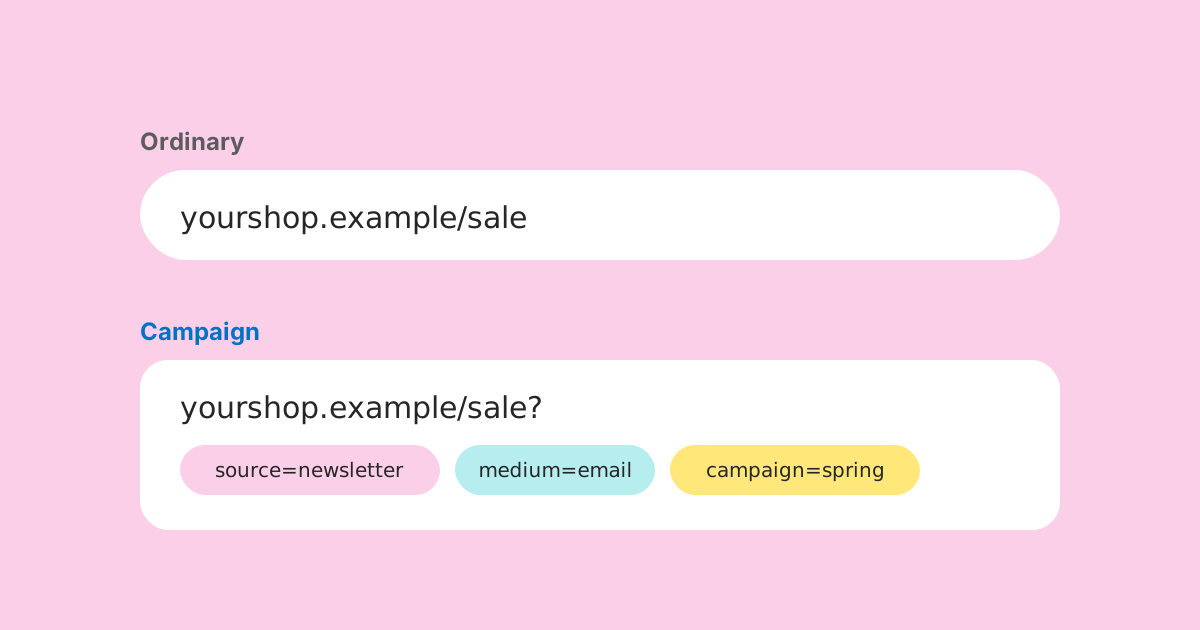
There is no technical difference. A campaign link and an ordinary link are both an address that takes someone to a page. If you shortened both, the short links would look alike and redirect in exactly the same way.
The difference is in what you want from them. An ordinary link exists to get someone somewhere. A campaign link exists to get someone somewhere and to answer a question afterwards: did this newsletter, this poster or this partner send people, and how many compared with the others? That second job is what changes how the link should be made.
The ordinary link
Your website address in an email signature. The link to your opening hours. The link in a help article to your returns policy. These are ordinary links. They are meant to work for years, they are not tied to any particular push, and nobody will sit down in three months to compare their performance.
An ordinary link should be clean. No tracking parameters, nothing to maintain, the plainest address that works. When people share it onwards, they share something tidy, and your analytics records visits through its normal referrer data, which is usually enough for links like these.
The campaign link
A campaign link belongs to a specific piece of work with a beginning and usually an end: a sale, a launch, a fundraising appeal, an event. It sits in a specific place (a newsletter, a poster, a partner's post) and you want its results counted separately from everything else.
What makes it a campaign link is the tagging. The URL carries UTM parameters that tell your analytics where the visit came from: utm_source for the place, utm_medium for the kind of channel, utm_campaign for the piece of work. Those three are expected by convention on every tagged link, because most analytics tools need all of them to file the visit properly. utm_content and utm_term are optional extras for finer distinctions.
Ordinary: https://example.org/donate
Campaign: https://example.org/donate?utm_source=winter-appeal-letter&utm_medium=print&utm_campaign=winter-appeal-2026
Where the results actually live
This is the part that is easy to misunderstand. The tags do not count anything. They are labels. The counting is done by the analytics on the destination site, which reads the labels when a visit begins and files the visit under them.
That has a practical consequence for short links. If you shorten a tagged URL with LinkMint, LinkMint records nothing when the short link is followed: no click counts, no cookies, no IP addresses. It redirects to the full tagged URL with the query string exactly as you wrote it, and your own analytics takes it from there. The results of a campaign, measured this way, are visits in your analytics tool grouped by source, medium and campaign. They are not a click total held by the shortener.
Naming is the part everyone gets wrong
The tags only help if they are consistent. Many analytics tools treat UTM values as case-sensitive, so Newsletter and newsletter are two different sources, and winter-appeal and Winter_Appeal_2026 are two different campaigns. The report does not merge them for you. It shows two smaller rows and leaves you to notice.
The answer is naming discipline: a short written set of rules that everyone making links follows.
- Lower case for every value.
- Hyphens between words. No spaces, no underscores, no mixing.
- Campaign names in the form what-when: winter-appeal-2026, product-launch-2026-03.
- A fixed list of mediums (email, social, cpc, referral, print, qr) that matches what your analytics tool expects, so visits land in the right channel group.
- A fixed list of sources, extended deliberately when a new place appears, never improvised.
Write the rules down somewhere everyone can see them, ideally next to a list of every campaign link already made. The next person to make a link will copy what is there, so make sure what is there is right.
One link per placement, not one shared
The most common shortcut is to make one tagged link for a campaign and use it everywhere: newsletter, social posts, poster, partner sites. It saves a few minutes and makes the campaign impossible to read, because every visit carries the same source and medium. You will know the campaign brought people in. You will not know which part of it did.
Make one link per placement. If a newsletter has two buttons, that is two links, separated by utm_content. If the same poster goes up in three towns and you care which town works, that is three links. The rule of thumb: if you would want to compare two placements afterwards, they need different tags now. Nothing can separate them later.
| Placement | utm_source | utm_medium | utm_content |
|---|---|---|---|
| Appeal letter | winter-appeal-letter | (none) | |
| Supporter email, main button | supporter-email | main-button | |
| Supporter email, PS link | supporter-email | ps-link | |
| Facebook post | social | (none) | |
| Local news site | local-news | referral | (none) |
All five share utm_campaign=winter-appeal-2026, so the campaign can be read as a whole or broken down by any of the other columns.
Short links make tagging practical in print
Online, a long tagged URL can hide behind a button. On a letter, a poster or a QR code it cannot. Nobody types a hundred characters of tracking parameters, and a QR code holding a long URL becomes denser and harder to scan at small sizes.
The usual answer is to tag the URL and then shorten it. The short link goes in print or into the QR code, and the tags travel inside it. LinkMint's UTM builder at /utm-builder builds the tagged URL in your browser and can hand it to the shortener, and the shortener keeps the query string byte for byte, so the tags survive the trip.
Two LinkMint specifics are worth planning around. Short links cannot be edited after they are made, so check the tagged destination before you shorten it, especially for anything going to print. And codes are generated, not chosen, so you need your own record of which short link is which placement. A short code tells you nothing on its own.
What happens when the campaign ends
Campaigns end. Links do not, at least not the printed ones. A leaflet from a spring sale can sit on a noticeboard for a year, and someone will scan it in November.
LinkMint short links never expire and cannot be deleted, so a campaign link made there keeps pointing at its destination indefinitely. That is good, because a dead link on a leaflet helps nobody. It does mean the end of a campaign has to be handled on your own site. The usual options:
- Keep the landing page live with a clear note that the offer has ended and a link to what is current.
- Redirect the old landing page, on your own site, to the most relevant current page.
- Leave it unchanged if the content is still true, such as a product page.
Whichever you choose, the late visits will still arrive tagged with the old campaign name. That is useful information: it tells you how long printed material keeps working.
Links that are both
Some links sit between the two kinds. The link in your Instagram bio is permanent, but you might still want to know how much traffic Instagram sends. A tag with source instagram, medium social and a campaign name such as always-on or profile-link does that without pretending it belongs to a time-limited push.
The test is whether you will ever look at the numbers. If yes, tag it. If not, leave it clean. A tag nobody reads is clutter in someone's shared URL, and an untagged link you later want numbers for is a gap you cannot fill retrospectively.
Comparing campaigns honestly
Once links are tagged consistently, comparing channels within a campaign is straightforward: same period, same offer, different routes in. Comparing campaigns with each other is harder, because almost everything differs: the season, the offer, the audience, how much effort went into each.
A few habits keep those comparisons fair. Compare like periods (the first two weeks of each). Look at what visitors did, not only how many arrived, if your analytics tracks a goal such as a donation or an enquiry. And note what else was going on, because a campaign that ran during a bank holiday or a news event is not a clean experiment.
Four ways campaign links go wrong
- Tagging the wrong thing. Someone tags a link inside your own site, from the homepage to the donate page. Analytics then credits the visit to that tag and loses where the visitor really came from.
- Missing one of the three. A link with source and medium but no campaign, or campaign but no medium, often lands in a vague or unassigned bucket. By convention, source, medium and campaign travel together.
- Putting personal data in a tag. An email address in utm_content looks handy for spotting who clicked, but it ends up in analytics, logs and browser history. Don't.
- Printing before checking. A tagged link with a typo in the path goes to an error page on every leaflet. Open the full URL once before it is shortened or printed.
All four are cheap to prevent and impossible to fix after the fact, which is the theme of campaign links generally: the work is done at creation, and the report only shows what the links were built to show.
The short version
- An ordinary link gets someone somewhere. Keep it clean.
- A campaign link also answers a question. Tag it with source, medium and campaign.
- The answer lives in your own analytics, not in the link or the shortener.
- Consistent, lower-case, hyphenated names, from a written list.
- One link per placement you want to compare.
- Tag first, then shorten, then check, then record which short link went where.
- Plan for the campaign ending on your own site, because printed links live on.
Related reading
- UTM Parameters Explained Without the Marketing Jargon
Five labels you can add to a URL so your analytics can say where a visit came from. What each one means, which three matter most, and the small inconsistencies that quietly split your reports.
- Organising Hundreds of Campaign Links Without Losing Your Mind
The problem arrives suddenly. One month the list fits on a screen; the next it doesn't, and nobody can find the link on the flyer. A shared spreadsheet, a naming convention and a UTM vocabulary fix most of it.
- What Referrer Data Can, and Cannot, Tell You
The referrer is one optional header, sent by the visitor's browser and limited by the page they came from. Knowing how browsers decide what to send explains most of what confuses people about referrer reports.