The Problem With Tracking Every Possible Detail About a Click
Set the privacy argument aside entirely. Collecting everything about link traffic is expensive, produces worse decisions and creates obligations that outlive whoever agreed to them. Here is what to measure instead, in your own analytics.
23 September 2026 · 9 min read · updated 10 October 2026
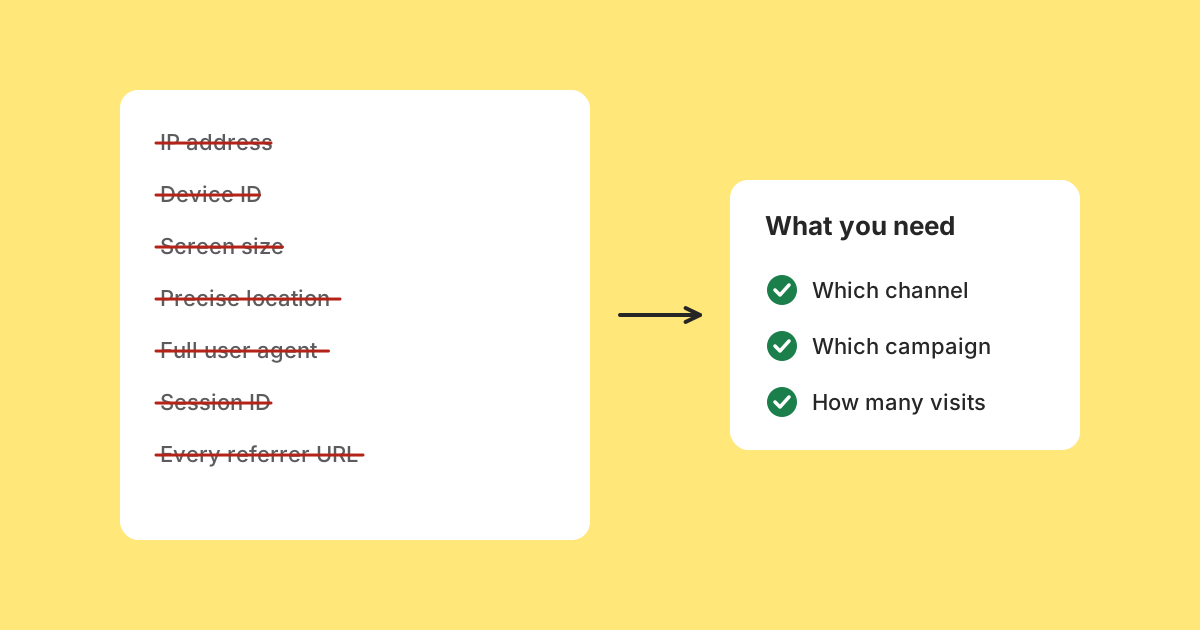
There is a good privacy argument against collecting everything about the people who follow your links, and plenty of people have made it well. This article is not that argument.
Assume for its length that you have no ethical concerns at all. Over-collection is still a bad engineering decision, for reasons that have nothing to do with anybody's rights. It makes data harder to delete, makes queries worse, makes decisions murkier and leaves a liability behind for whoever inherits the system. The second half of the article is practical: the handful of things worth measuring about link traffic, where to measure them, and how to set that up on your own site.
One note on where we stand, because it shapes the advice. LinkMint records nothing when someone follows one of its short links: no click counts, no referrers, no countries, no cookies, no IP addresses. Measurement of the traffic your links send happens in your own analytics, on your own website, which is where it belongs. More on that choice near the end.
One: you cannot delete what you cannot describe
Data collected on the basis that it might be useful later has no defined purpose, and without a purpose there is no principled retention period.
Six months in, somebody asks how long you keep click data. The honest answer is forever, because nobody ever decided otherwise. Deleting it now feels risky, since something might depend on it, and nobody can list what.
Data with a stated purpose comes with an obvious answer. This field tells you which channel worked; that question is asked about recent periods, so keep the detail for ninety days and keep totals after that. The retention policy writes itself, because the purpose was decided first.
Two: it makes the queries worse, not better
The intuition is that more columns mean richer analysis. In practice the columns nobody defined are the ones nobody trusts, and untrusted columns get left out of every query rather than used.
Meanwhile the table is wider, the indexes are larger, storage grows faster, and the queries that matter run more slowly against rows carrying twenty fields when they read four.
There is a design point underneath this. Reducing a user agent string to "mobile, Safari, iOS" at the moment of collection produces a column that groups usefully. Storing the raw string produces one that has to be parsed at query time, every time, by whoever is writing the query, and each of them will parse it slightly differently.
Three: more dimensions produce fewer decisions
A report with six dimensions can be read. A report with thirty can be sliced until it says whatever the person slicing it expected, and the honest response to it is usually to look at the same three charts as before.
Worse, more dimensions mean smaller cells, and small cells are noise. Filtered to one device type, one browser version, one country and one hour of the day, a difference between eleven visits and four looks meaningful and is not.
The analysis that changes behaviour is nearly always coarse: this channel beat that one, this campaign beat the last, most of it came from phones. Those conclusions need few fields and a lot of confidence, which is the opposite of what over-collection provides.
Four: you are holding a liability on behalf of your successor
A database of visits with IP addresses, full user agents and visitor identifiers is a different object from a database of counts, and the difference matters most at the moments nobody plans for.
- A breach exposes what you stored, not what you used.
- A request from someone to see the data held about them has to cover everything, including the fields nobody can explain.
- Whoever buys or inherits the system gets the dataset and none of the intentions behind it.
- A legal request asks what you have, and the answer is what you have.
The person who decided to collect everything is rarely the person answering those questions. They moved on, the schema stayed, and that is the general shape of this problem.
The strongest argument for collecting more
It deserves stating properly: you cannot analyse what you did not collect. A question asked in March cannot be answered from data discarded in January, and there is no going back for it.
That is true, and it is why over-collection persists. The cost is spread thinly over years, while the regret is specific and memorable.
The counter is that it proves less than it appears to. Almost every question actually asked about link traffic concerns groups over time, and those are answerable from aggregates. Questions that need individual detail are rare, usually tied to a specific incident, and better served by a deliberate, short-lived log switched on for that purpose than by keeping everything forever in case one turns up.
A fifth cost, paid by your visitors
Collecting more usually means asking for more: consent banners, permission prompts, cookie notices. Each one is a small tax on every visitor, paid before they reach the thing they came for.
Collecting less can remove the need to ask at all. Whether you need consent depends on what you store and the rules where you and your visitors are, so check that for your own situation, but the direction is clear: fewer identifiers and fewer cookies mean fewer interruptions and less consent machinery to build and maintain, including regional variations and honouring withdrawals.
What is actually worth measuring about link traffic
Here is the practical part. If you share links to your own website, in newsletters, social posts, printed flyers, partner pages and QR codes, the questions you will really ask are few.
| Question | What answers it | Where it comes from |
|---|---|---|
| Which channel sent the visits? | Source and medium | UTM tags in the link |
| Which campaign or post was it? | Campaign, and content if needed | UTM tags in the link |
| Did those visits do anything? | A conversion or goal event | Your own site's analytics |
| Which page did they land on? | Landing page path | Your own site's analytics |
| Should we design for phones? | Coarse device category | Reduced from the user agent |
| Is this traffic from where we expected? | Country, if it matters to you | Resolved, then the address discarded |
| Which sites link to us unprompted? | Referring domain | The Referer header, when sent |
Notice what is missing: no persistent identifier, no full IP address, no raw user agent, no full referring URL. None of the questions needs them.
Notice also where the most important fields come from. Source, medium and campaign are not detected from the visitor at all. You write them into the link yourself, as UTM parameters, and your analytics reads them from the address when the visitor lands. That makes them far more reliable than anything inferred from headers, because they do not depend on what a browser, an app or a referring site chose to volunteer.
Setting it up on your own site
The measurement happens at the destination, in whatever analytics your website already runs. Most mainstream analytics tools read UTM parameters automatically. The work is in tagging links consistently.
- Decide a short vocabulary for sources and mediums before you start, and write it down: newsletter, instagram, partner names; email, social, qr, print.
- Use lower case everywhere. Most tools treat Email and email as different values, which splits one channel into two rows.
- Tag each place a link appears with its own source and medium, and use the campaign value to group the pieces of one push.
- Use utm_content only when you need to tell apart two links in the same place, such as a header button and a footer link in one email.
- Never tag links between pages of your own site. A UTM tag on an internal link tells your analytics a new campaign visit has started, which overwrites the real source.
- Check that your site's own redirects (http to https, adding a trailing slash, a moved page) keep the query string. If one drops it, every tag you wrote disappears at that hop.
Newsletter:  https://example.com/spring?utm_source=newsletter&utm_medium=email&utm_campaign=spring_sale
Instagram:   https://example.com/spring?utm_source=instagram&utm_medium=social&utm_campaign=spring_sale
Flyer QR:    https://example.com/spring?utm_source=flyer&utm_medium=qr&utm_campaign=spring_sale
Tagged URLs are long and ugly, which is where a short link helps. LinkMint keeps the query string byte for byte, so a shortened tagged link arrives at your site with every parameter intact. Shorten each tagged variant separately: one short link per channel, each carrying its own tags. Because LinkMint counts nothing, it is the tags, not the short link, that tell your analytics which channel a visit came from.
Aggregate first, keep detail briefly
If you run your own analytics storage, the pattern that resolves most of the cost is not collecting less of everything. It is deciding what the durable record is, and treating detailed rows as short-lived working data.
Recent:   detailed rows with coarse fields, kept for ninety days
Durable:  one row per landing page, source and day, kept indefinitely
Long-range charts read the durable tier, so they get faster rather than slower with age. Recent analysis reads the detailed tier, which stays small enough to query quickly. Expiring the detailed rows becomes routine housekeeping rather than a decision somebody has to be brave about.
This only works comfortably if the detailed rows were coarse to begin with. Deleting rows full of identifiers is an obligation you are always slightly behind on. Deleting rows of counts is a scheduled job nobody thinks about. If you use a hosted analytics product instead, the equivalent is to look at its retention settings and choose the shortest one that still covers the questions in the table above.
Why LinkMint records nothing at all
Applied to a link shortener, the same reasoning goes one step further. LinkMint has no accounts and no dashboards, so there is nobody to show click data to. Data that has no owner and no reader has no purpose, and by the first argument in this article, data without a purpose should not be collected.
There is a second reason. The person following a short link has no relationship with the shortener. They clicked something a friend, a shop or a newsletter sent them, and the shortener is a hop they may not even notice. Recording them there would create exactly the kind of dataset this article warns about, held by the party with the least business holding it.
And the destination is better placed to measure anyway. Your site knows which page the visitor landed on and whether they went on to do anything, which a shortener never sees. Counting at the redirect would add a second, less useful set of numbers that disagreed with the first.
The trade-off is real and worth stating plainly. If you need click counts from the link itself, for example because the destination is a site you do not control and cannot measure, LinkMint is not the right tool for that job. You would want a service that records clicks and gives you an account to view them in, and you should read what it stores.
A test for any field
Before adding a field to anything you measure, answer three questions. If any is unanswerable, the field is speculative rather than useful.
- What question does this answer that the existing fields cannot?
- Who asks it, and how often?
- How long does it need to be kept for that question to stay answerable?
The third is the one that catches speculative collection, because a field with no purpose has no answer to it, and a field with no retention period is one you will still be holding when somebody asks about it in three years.
The privacy argument arrives at the same small schema by a different route, which is a reasonable sign that the schema is right. It is still worth being able to make the case without it, because the people who most need convincing are often the ones least moved by the other argument.
Next: how to measure link traffic responsibly, without building profiles of the people in it. Click analytics without profiles
Related reading
- Click Analytics Without Turning Visitors Into Profiles
Almost everything you want to know about the traffic your links send can be answered in your own analytics without storing anything that identifies anyone. Here is how, and why LinkMint itself records nothing at all.
- What Referrer Data Can, and Cannot, Tell You
The referrer is one optional header, sent by the visitor's browser and limited by the page they came from. Knowing how browsers decide what to send explains most of what confuses people about referrer reports.
- UTM Parameters Explained Without the Marketing Jargon
Five labels you can add to a URL so your analytics can say where a visit came from. What each one means, which three matter most, and the small inconsistencies that quietly split your reports.